
What Is a ChatGPT Account?
A ChatGPT account allows you to access AI-powered conversations, save your chat history, organize projects, and use additional features depending on your plan.
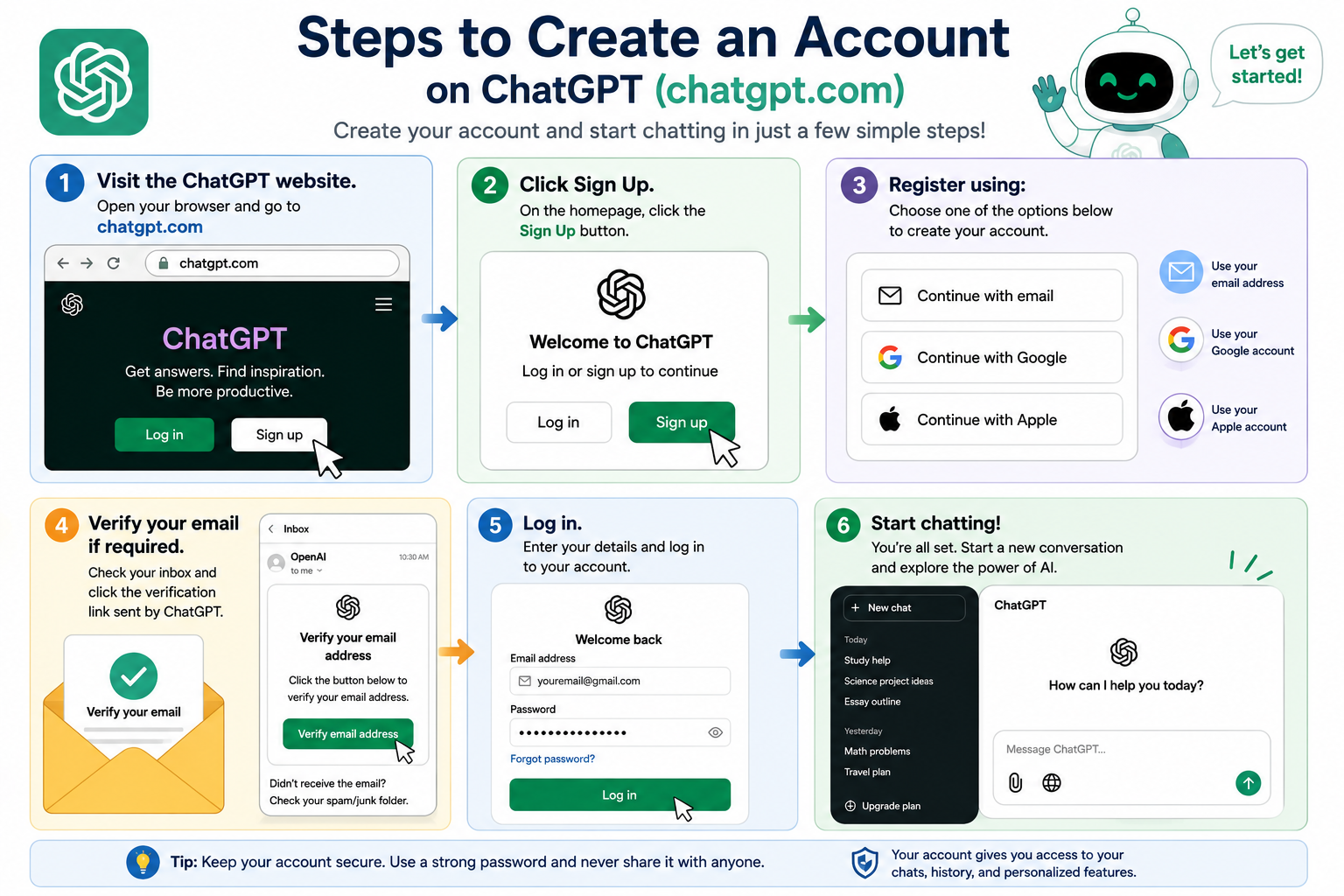
Steps to Create an Account
- Visit the ChatGPT website.
- Click Sign Up.
- Register using:
- Email address
- Google account
- Apple account
- Verify your email if required.
- Log in and start chatting.
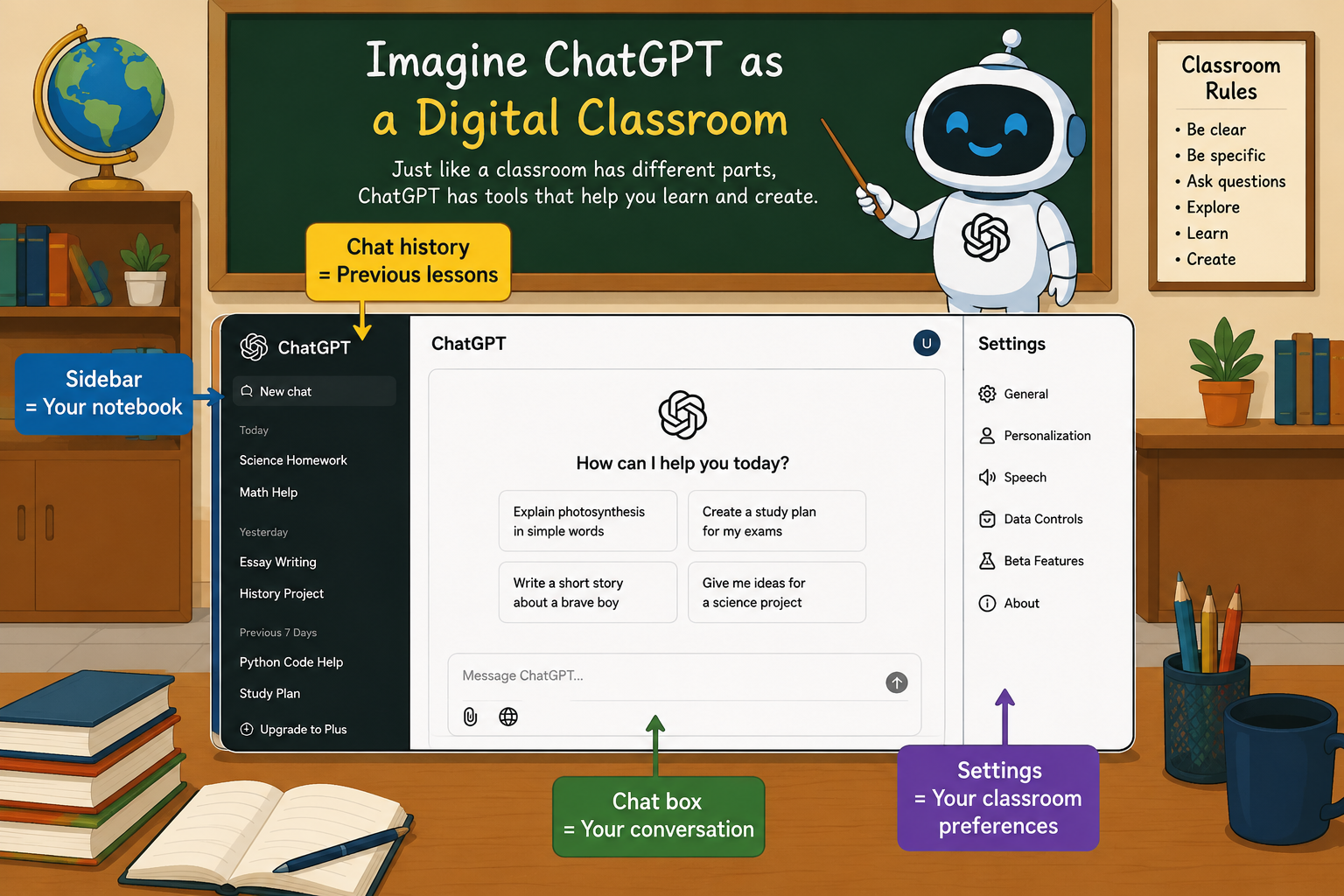
Main Parts of the Interface
- Chat box
- Sidebar
- New Chat button
- Chat history
- Attachments
- Voice mode (if available)
- Profile and settings
Example
Imagine ChatGPT as a digital classroom.
- Sidebar = Your notebook
- Chat box = Your conversation
- Chat history = Previous lessons
- Settings = Your classroom preferences
Writing Effective Prompts
What Is a Prompt?
A prompt is simply the instruction or question you give ChatGPT.
The better your prompt, the better the response
Weak Prompt
Tell me about AI.
Better Prompt
Explain Artificial Intelligence to a Grade 6 student using simple language and two examples.
Excellent Prompt
Explain Artificial Intelligence to a Grade 6 student using simple English. Include:
- Three quiz questions
- Definition
- Two real-life examples
- One classroom activity
Prompt Formula
Role + Task + Context + Output
Example:
Act as a science teacher. Explain photosynthesis to Grade 5 students using simple words and include a short quiz.
Visual Breakdown
Prompt:
Act as a science teacher. (Role)
Explain photosynthesis (Task)
to Grade 5 students using simple words (Context)
and include a short quiz. (Output)